
Introduction
Modern applications frequently need to send notifications to thousands or even millions of users. Whether it’s a marketing campaign, product announcement, OTP notification, transactional email, or reminder message, delivering communications efficiently is critical for user engagement and business success.
A common mistake developers make is sending emails and SMS messages directly from API requests. While this approach may work for a small number of recipients, it quickly becomes problematic as the user base grows. API requests become slow, server resources are consumed unnecessarily, and failures can occur when notification providers experience delays.
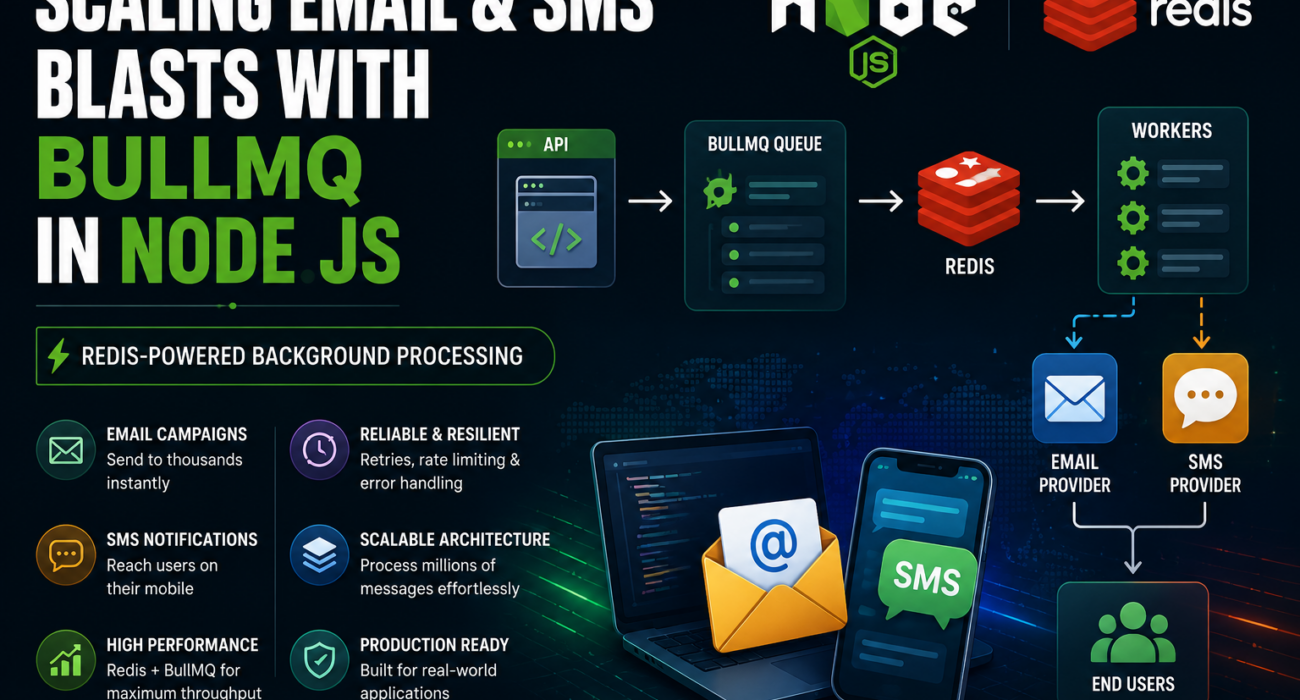
To solve this challenge, we implemented BullMQ, a Redis-based job queue for Node.js that processes notifications asynchronously using background workers. This architecture enables scalable, reliable, and high-performance messaging workflows.
What is BullMQ?
BullMQ is a powerful Redis-backed job queue designed for Node.js applications. Instead of executing resource-intensive operations immediately, applications add jobs to a queue, and dedicated worker processes handle those jobs in the background.
BullMQ is commonly used for:
- Email notifications
- SMS campaigns
- Report generation
- Video processing
- Image resizing
- Scheduled tasks
This asynchronous processing model keeps APIs responsive while allowing large workloads to be processed efficiently.
Why Traditional Notification Processing Fails
Many applications initially follow this pattern:
- User triggers a notification.
- API sends emails immediately.
- API sends SMS messages immediately.
- API waits for all operations to complete.
While simple, this approach creates several problems:
- Slow API response times
- Increased memory consumption
- Request timeouts
- Limited scalability
- Higher failure rates during traffic spikes
As the number of recipients increases, application performance degrades significantly.
BullMQ-Based Notification Architecture
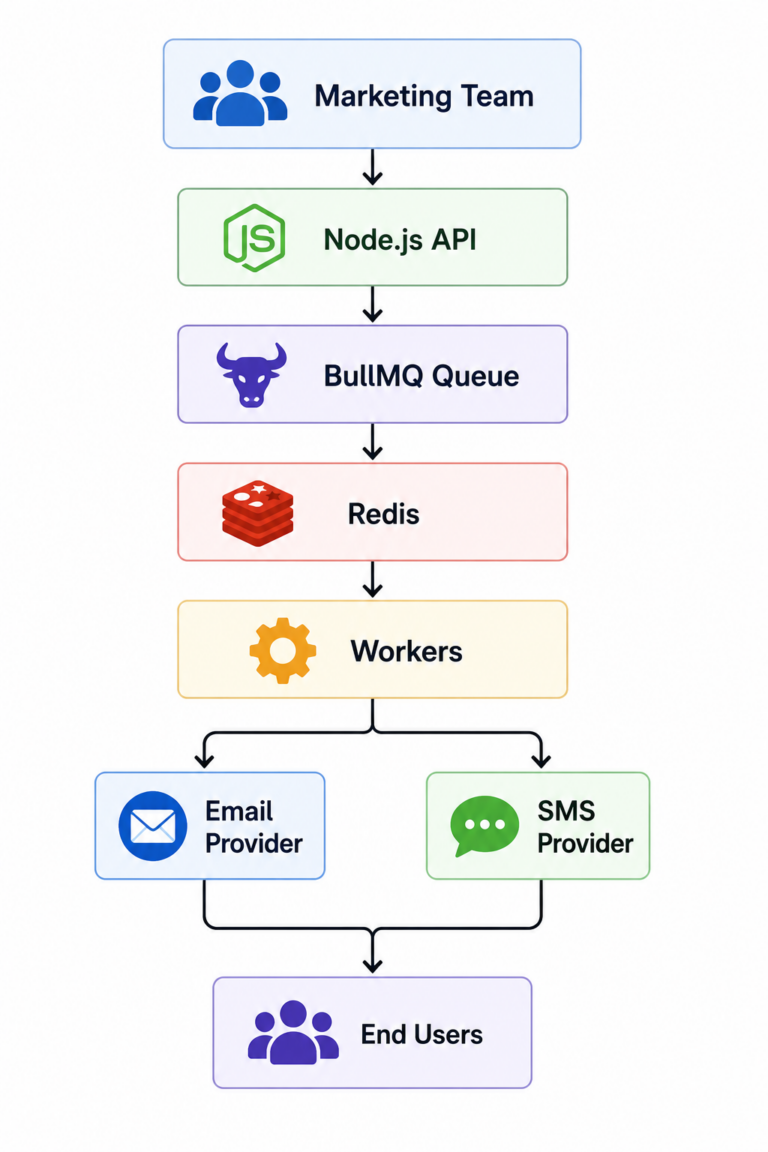
A scalable notification system using BullMQ follows this architecture:
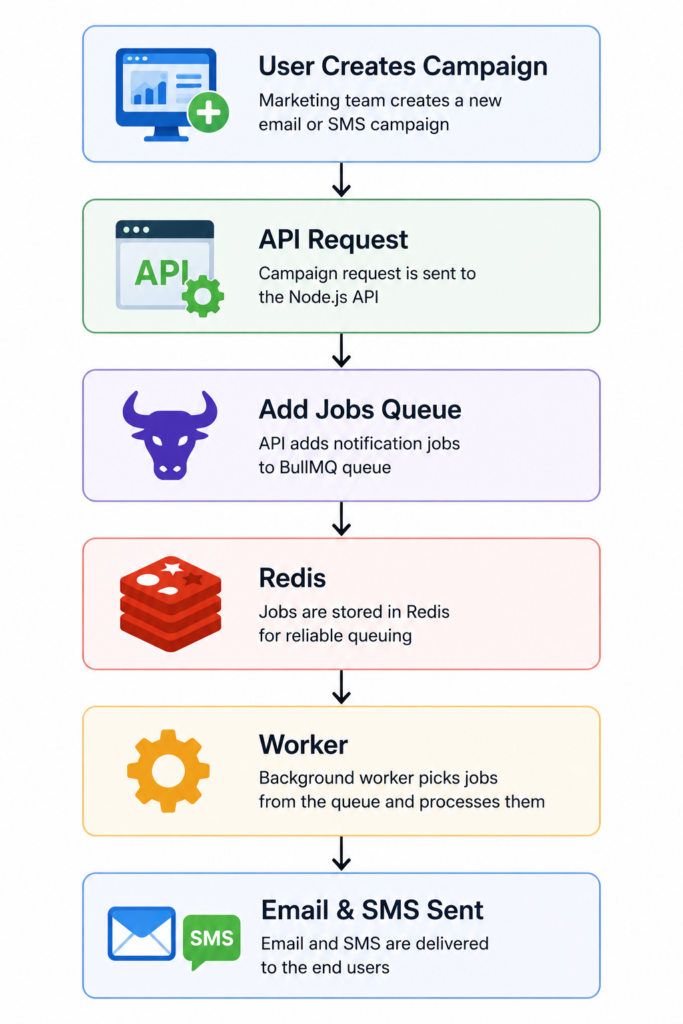
Workflow
- User creates a campaign.
- API receives the request.
- Notification jobs are added to BullMQ.
- Redis stores queued jobs.
- Workers process jobs asynchronously.
- Email and SMS providers deliver notifications to users.
Installing BullMQ
To get started, install the required dependencies:
npm install bullmq ioredis expressThese packages provide:
- BullMQ for queue management
- ioredis for Redis connectivity
- Express for building API endpoints
Queue and Worker Implementation
The implementation consists of three major components:
Redis Connection
BullMQ relies on Redis for storing, managing, and persisting queued jobs. Redis acts as the backbone of the queueing system, ensuring reliable job processing and efficient communication between producers and workers.
Queue Creation
Notification jobs are pushed into a dedicated queue rather than being processed immediately. This approach decouples notification processing from the API layer, allowing applications to remain responsive even during high-volume campaigns.
Worker Processes
Background workers continuously listen for queued jobs and execute notification delivery tasks such as sending emails and SMS messages.
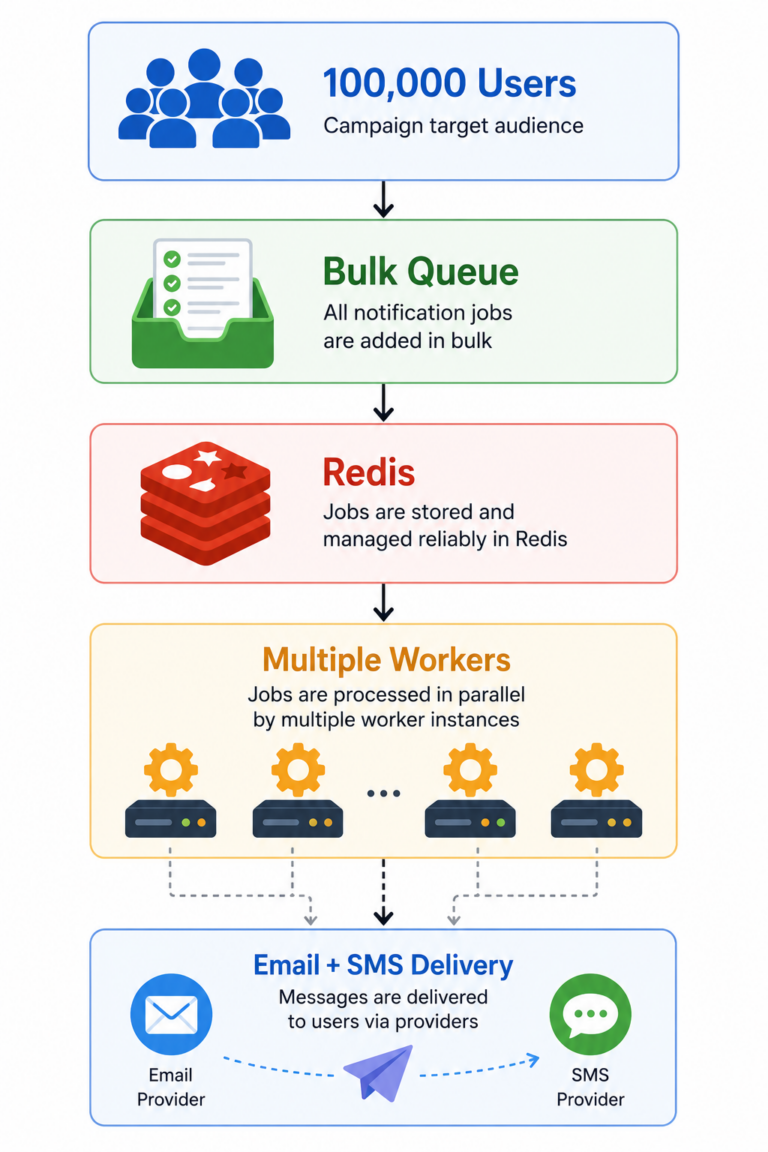
Workers can process multiple jobs concurrently, significantly improving throughput, reducing delivery times, and enabling the system to scale efficiently as notification volumes increase.
Building a Notification Campaign API
The API receives campaign requests containing the necessary information required to deliver notifications to users.
- Message content
- User email addresses
- User phone numbers
Instead of processing notifications directly within the API request, the application creates jobs and adds them to the BullMQ queue for asynchronous processing.
This approach provides several advantages:
- Immediate API responses
- Reduced request latency
- Better user experience
- Improved scalability
Even campaigns targeting thousands of recipients can be queued instantly, allowing background workers to process notifications efficiently without impacting application performance.
Implementing Retry Logic
External services occasionally fail due to a variety of reasons, including:
- Network interruptions
- Provider downtime
- Temporary service issues
BullMQ provides built-in retry mechanisms that automatically reattempt failed jobs based on configurable retry policies.
Example Retry Flow
Attempt 1 Failed
      ↓
Wait 5 Seconds
      ↓
Attempt 2 Failed
      ↓
Wait 10 Seconds
      ↓
Attempt 3 Failed
      ↓
Move to Failed Queue
This approach increases delivery reliability by handling transient failures automatically while minimizing the need for manual intervention. As a result, notification systems become more resilient and capable of maintaining high delivery success rates.
Rate Limiting for SMS and Email Providers
Most messaging providers enforce rate limits to prevent abuse and ensure fair usage of their services.
BullMQ allows developers to control processing speed using built-in rate limiting capabilities, helping applications comply with provider restrictions while maintaining efficient message delivery.
Example
- Maximum Jobs: 100
- Duration: 1 Second
Result:
100 Jobs Per SecondThis approach prevents email and SMS providers from throttling requests while ensuring a consistent and reliable flow of notifications. By processing jobs at a controlled rate, applications can achieve optimal performance without violating provider-imposed limits.